




Your training goal.
Your goal helps determine the exercises, reps and progression in your plan.
Build a plan around your goal, experience, schedule and equipment. Review it before you start and make changes as you train.
How it worksDuring setup, April asks about your goals and how you train. You can update these settings when your routine changes.
Your goal helps determine the exercises, reps and progression in your plan.
Tell April how long you have trained so it can account for your experience when planning exercises.
Choose your training days and how much time you have. April fits the work and rest into that time, with shorter sessions when that suits your plan.
List the equipment you have at home or at the gym to help April suggest suitable exercises and alternatives.
Tell April how you feel. Check-ins on Pro and Ultra help adjust upcoming workouts around soreness, energy and recent training.
Account for injuries, pain and any restrictions from a professional. Change or stop a session when you need to.
April builds training blocks around your goal, equipment and schedule. Your completed workouts and check-ins help inform later sessions. Updated plan-building features apply when a new plan or block is generated.
Your goal and schedule help determine the training days, exercises and session length.
Exercises should suit your equipment, experience and restrictions. When replacing one, choose an alternative that works towards the same goal.
Each exercise has its own sets, reps and rest time. Heavier or more demanding work gets more recovery; lighter work can need less.
Record what you completed, including partial sessions. Your results and check-ins help inform the next plan.
Main lifts stay consistent so you can track progress. Where suitable alternatives fit your equipment and restrictions, supporting exercises vary across the next weeks. A lighter deload week reduces the workload.
Progressive overload uses the work you actually logged and how demanding it felt. April can adjust targets after suitable completed sessions; it does not assume you are ready for heavier weights simply because another week has passed.
April cannot assess an injury, check your technique or know how a rep feels. Listen to your body and follow advice from a qualified professional.
Watch the demo, check your target and complete each set. The rest screen shows what is next, with April’s countdown sound to bring you back in.
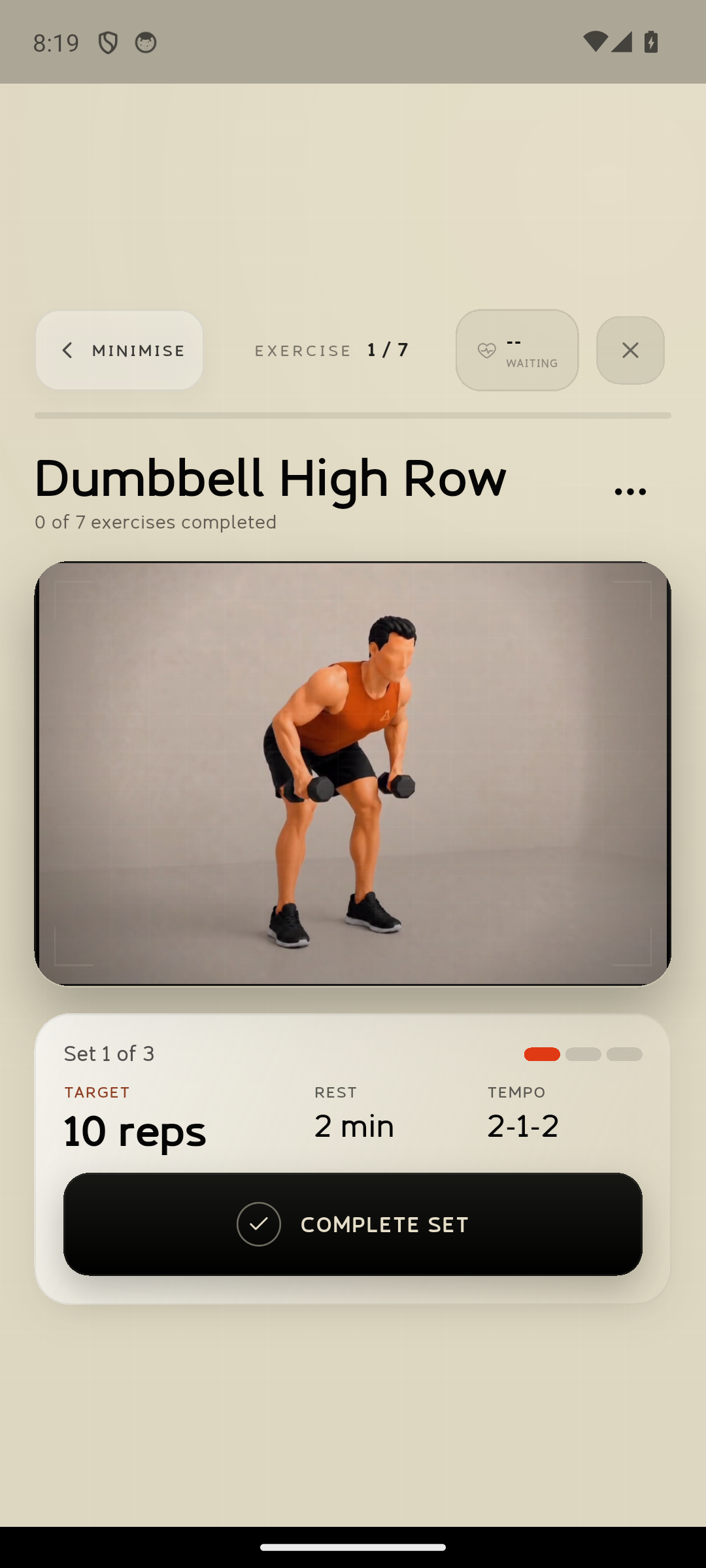
Watch a short demonstration of the exercise.
Check your target before recording the set.
Follow the timer between sets.
See the suggested pace for each rep when included.
Minimise your workout to use another part of April. Tap the floating workout button to return to the same exercise and set.
April saves your completed sets as you go. Finish the whole workout for a session recap. If you end early, your progress stays saved and you can continue the unfinished workout later.
Ask April AI to adjust today’s or tomorrow’s workout, then review the changes. If you have already started, your completed sets stay as they are.
Cached exercise videos can remain available when your connection is weak.
Outdoor exercises require the access you chose in your plan settings. A workout with outdoor work shows a notice before you start. When a session moves from indoor work to an outdoor exercise, April pauses so you can move safely and choose Continue on your phone.
The April Wear OS companion is available to invited Google Play internal testers. It brings your current exercise, set controls and rest timer to a supported watch. It is not publicly released yet.
Stop or modify activity for sharp or worsening pain, dizziness, faintness, numbness, unusual breathlessness or any symptom that feels dangerous.
This includes pregnancy or recent birth, relevant medical conditions, recent surgery, medication that affects exercise tolerance, current injury, a long period of inactivity, or any professional restriction. Read the full Safety Guidance.
No. A demo shows the movement, but April cannot confirm that your own technique is safe or correct.
Update your equipment settings or choose a suitable alternative exercise that works towards the same goal.
Keep your record accurate, including missed or partial sessions. Future plans should account for what you completed.
Yes. Minimise an active workout to come straight back, or continue a saved unfinished workout later. April keeps the sets you have already completed.
No. It is a fitness and general wellbeing product. Use a clinician or qualified rehabilitation professional for diagnosis, treatment and return-to-activity decisions.
Learn how April AI can use your workouts, meals and progress to help answer questions.