




What you log in April.
- Workouts, exercises, sets, reps and volume.
- Plan completion, consistency and personal bests.
- Daily calories, protein and meal totals.
- Manual body measurements and check-ins.
See how your workouts, meals and body measurements change over time. You can also include data from supported health apps and your watch.
How it worksYOUR RECORDS
Progress uses your April records and any data you choose to connect. Check where a value came from and whether enough data is available before drawing conclusions.
WHAT APRIL CAN SHOW
Use these views together to understand your progress. One number or chart cannot tell you everything about your health or effort.
Review sessions, completed sets, total volume, consistency, pace, personal bests and milestones.
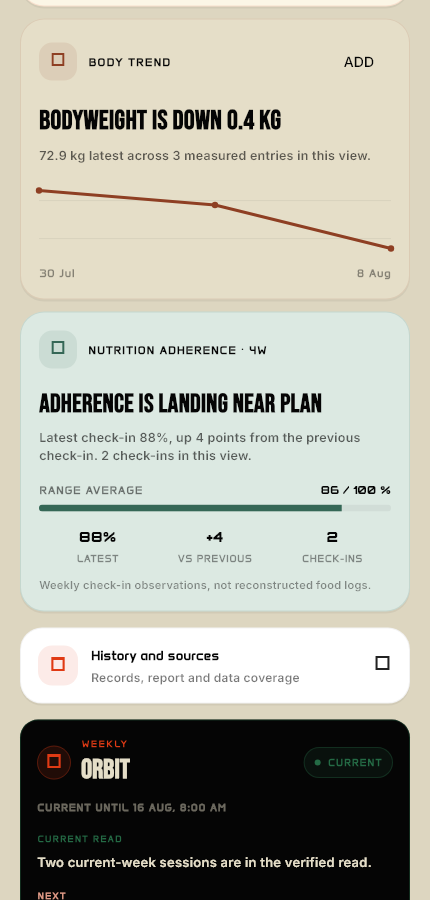
Compare your latest measurements with earlier entries. Check whether each value was entered by you or came from a connected app.
See calories, protein and meal totals from the food you logged, and compare them with your targets.
Include sleep, resting heart rate, activity and other supported summaries when you have enough recent connected-health data.
TIME RANGES
Shorter ranges show recent changes. Longer ranges help you see whether those changes are part of a lasting trend.
See the past seven days.
Look for changes across four weeks.
Review progress across twelve weeks.
See all your available records.
Choose the period you want to compare. A week's results can look different from a three-month trend.
Missing entries make a trend harder to judge. Check how much data is available in the period you selected.
Look at the average, latest value and overall change together. A single unusually high or low reading may be misleading.
Review the records behind a summary before deciding what it means for you.
CONNECTED-HEALTH PRIVACY
With your permission, April reads supported data from Apple Health or Health Connect. It does not write records back to either platform.
April reads connected-health records on your device for the view you open. A limited recent summary may be included in an AI request when relevant to your question. You can turn off access in your device settings.
COMMON QUESTIONS
The device may have missed a reading, permission may be off, or the connected app may not have enough recent data. A missing value does not tell you whether everything is fine.
Yes. Progress works with the workouts, meals and check-ins you record in April. Watch and connected-health data are optional.
A short range is more affected by recent changes. A longer range includes earlier records, which may show a different overall direction.
No. These are estimates from consumer devices. Get a qualified professional's assessment for medical decisions.
You can edit supported entries, turn off connected-health access or delete your account in the app. Read about your rights and any exceptions in Data Choices and the Privacy Policy.
CONTINUE TO WATCH
Check watch compatibility, follow the setup steps and learn how workouts sync.