




Food records after duplicate entries have been removed.
April Nutritionexplained.
Search for a food, scan its barcode, use your voice or add it yourself. Check the serving and nutrition, then choose which meal to log it in.
How it worksThe April Food Database
The April Food Database brings together foods from around the world. Its latest checked total is 4,786,257 unique food records.
Different names and spellings help you find the food you mean.
Last counted on 24 August 2026. The total changes as foods are added, corrected or removed.
How food logging works
Choose a food, check the serving and amount, then add it to breakfast, lunch, dinner or a snack.
Find your food.
Search by name, scan or type a barcode, or use your voice. You can also choose a recent item, open My Foods or enter calories and macros yourself.
Check the details.
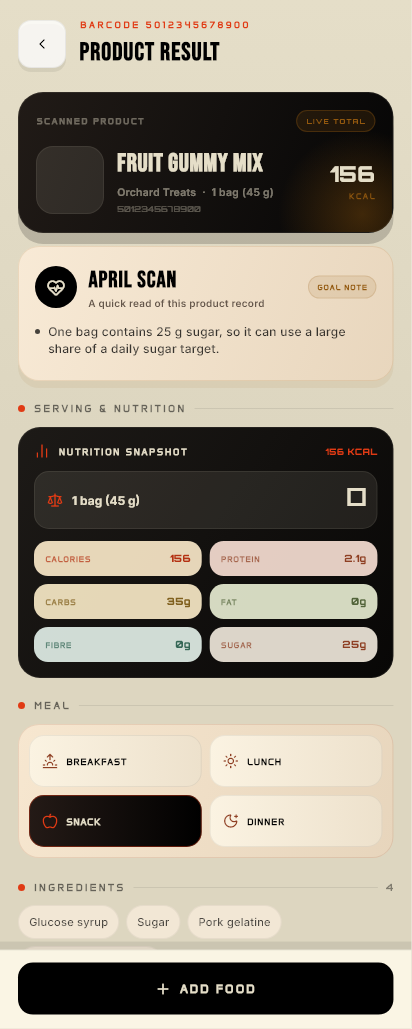
Check the serving, calories and nutrients. Ingredients and label details are shown when available.
Choose the amount.
Set how much you ate and which meal it belongs to. The nutrition totals update to match your serving.
Add it to your day.
Confirm to save the food. Your daily calories and macros update, including what is left against your targets.
Cabinet and recipe ideas
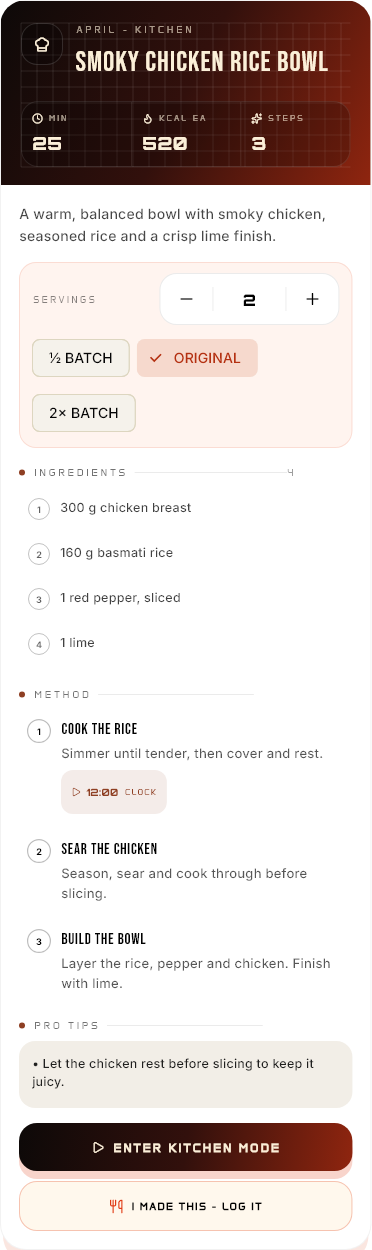
Keep a list of up to 100 foods in your Cabinet. April can use what you have to suggest meals and create recipe cards.
Add what you have.
- Search for a food or scan its barcode.
- Choose from recent items or My Foods.
- Set the amount and unit you have.
- Update the list as you use things up.
Find something to cook.
- Ask for ideas using only your Cabinet foods.
- Include your allergies and food preferences.
- Review quantities before logging a meal.
- Check AI recipe suggestions before cooking.
Food accuracy and allergens
Food records can be out of date, incomplete or based on a different version of a product. Always check the packaging of the food you have.
ALLERGIES
Check the label every time.
An April badge, AI answer or barcode match cannot guarantee that a food is safe for an allergy. Check the current label and manufacturer information, including the risk of cross-contamination. Get professional advice for medical nutrition needs.
Questions about Nutrition
Do I check food before it is logged?
Yes. Choose the food, check its serving and nutrition, set the amount and meal, then confirm.
What if I cannot scan the barcode?
Type the barcode or search by name. You can also use your voice, choose a recent item or My Foods, or enter calories and macros yourself.
How should I use my daily targets?
Calorie, macro and body targets are estimates for general fitness and wellbeing. They are not medical prescriptions. A qualified professional should guide nutrition for a medical condition.
Can I correct a meal?
Yes. Open the meal and edit the entry to update your daily total.
How is my data used?
Read the Privacy Policy, Safety Guidance and Data Choices.
Next: how Training works
See how to plan a workout, follow each exercise and record your sets.